

Record what you see
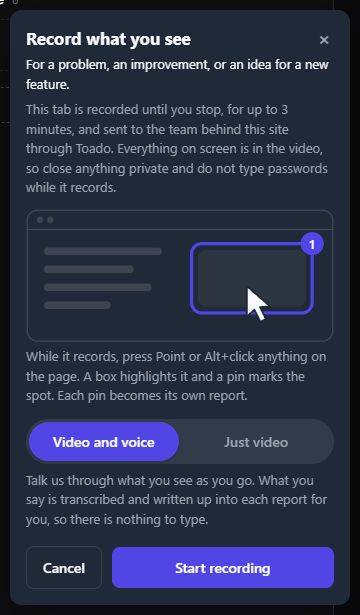
Choose Just video or Video and voice. Walk through the problem, drop pins as you go, then watch it back before sending.
Paid plans, desktop Chrome and Edge. The owner must enable recordings and restrict allowed sites.
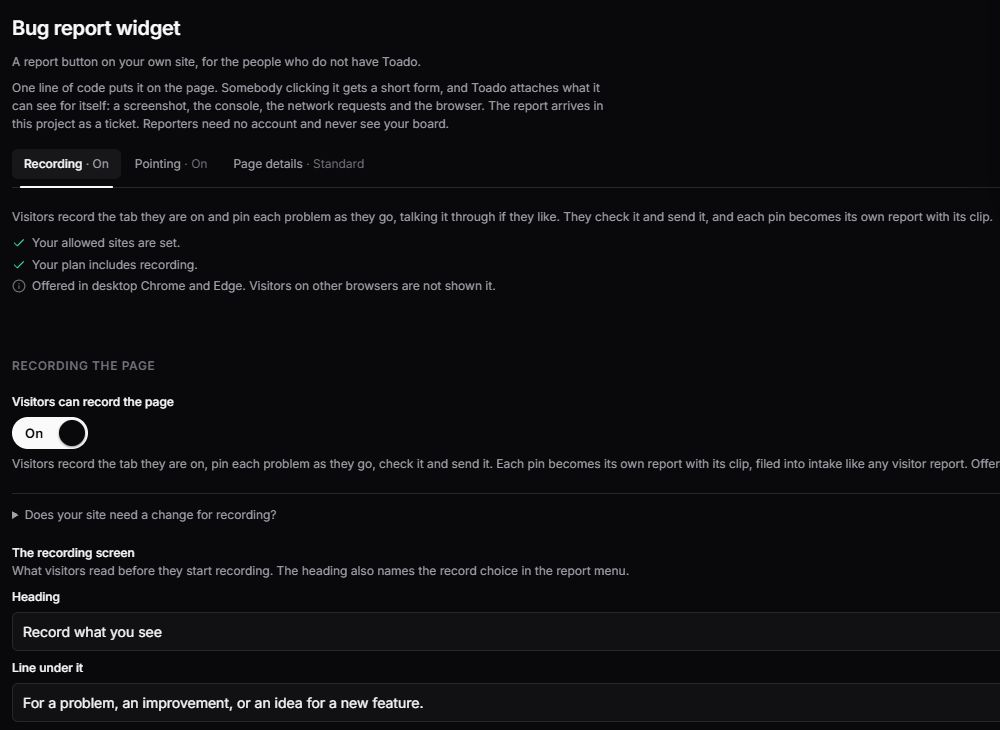
Let customers record what they see, point at the problem, or tell you about it. One project-specific script brings screenshots, page context, console errors, and network evidence into tickets your team can act on.
Widget reporting is included on every plan. Visitor recording requires a paid plan. External reporters need no account or paid seat. Compare widget allowances.
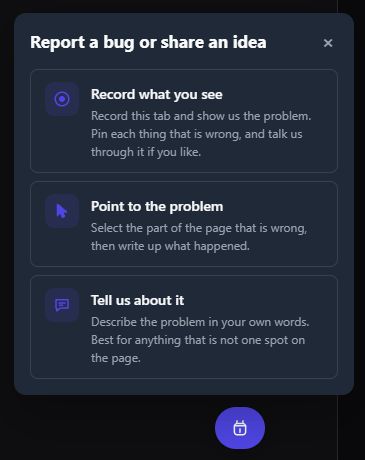
Choose Just video or Video and voice. Walk through the problem, drop pins as you go, then watch it back before sending.
Paid plans, desktop Chrome and Edge. The owner must enable recordings and restrict allowed sites.
Select the part of the page that is wrong and explain what happened. The report stays attached to the element you meant.
Requires the owner’s strict allowed-sites list.
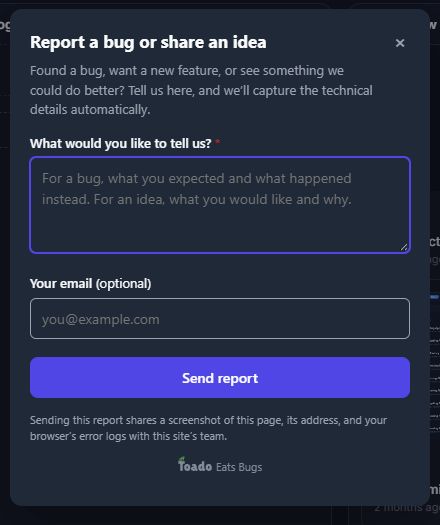
Write a bug report, improvement, or new idea. Optional email and custom questions give your team the details to follow up.
No account or extension for the reporter.
Recording availability depends on the workspace’s visitor-minute allowance and the site owner’s settings. Written reports and screenshots remain available when recording minutes run out, within the report allowance.
Ordinary feedback forms tell you something broke. Toado captures the state around the failure and sends it to the selected project as a triage-ready ticket.
Use the setup wizard in Project Settings to choose the style, approve your sites, and copy the snippet.
A customer points, records, or writes without leaving the page or creating an account.
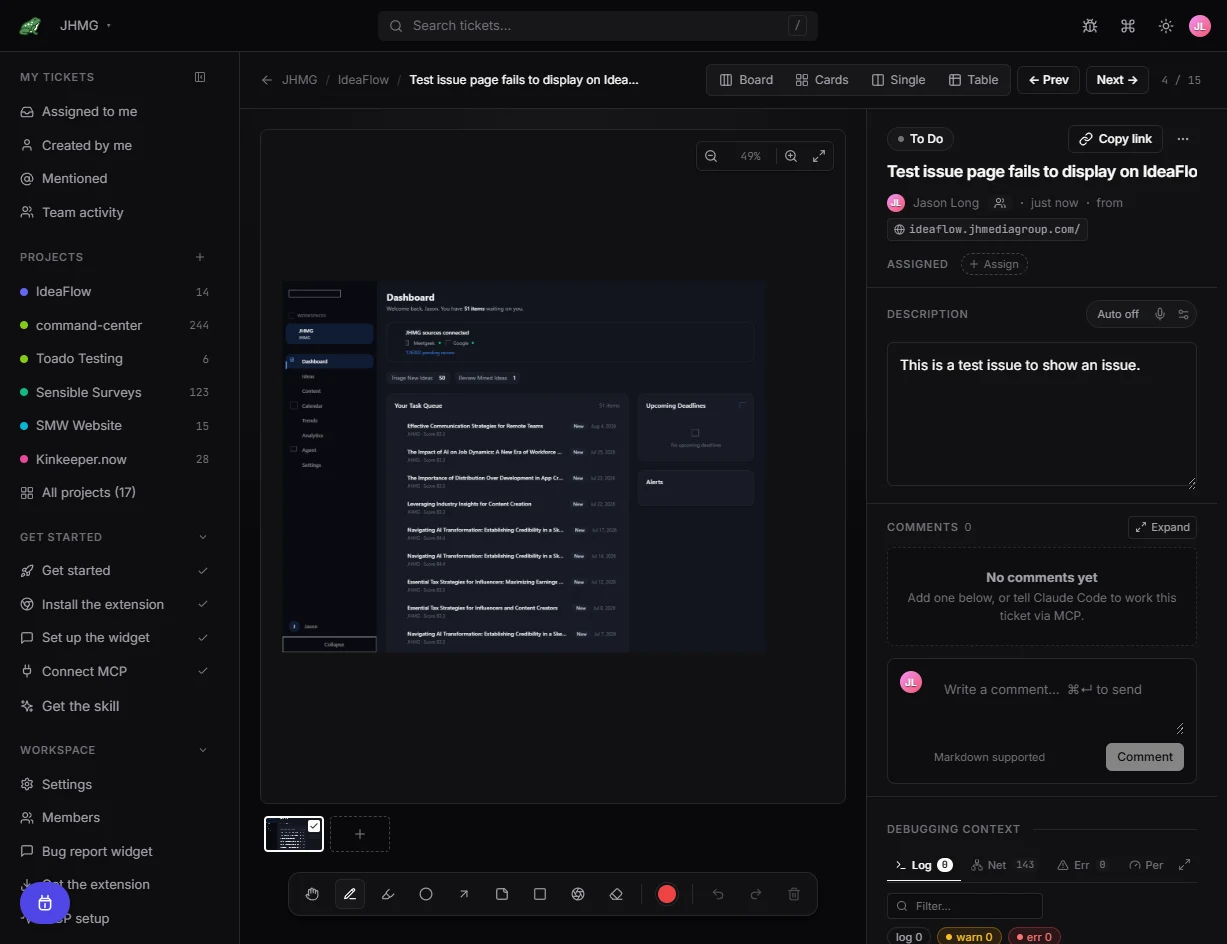
The report waits in the intake column with its evidence. Move the real ones onto the board, one at a time or in bulk, and archive the rest. Then assign it or hand it to an AI coding agent.
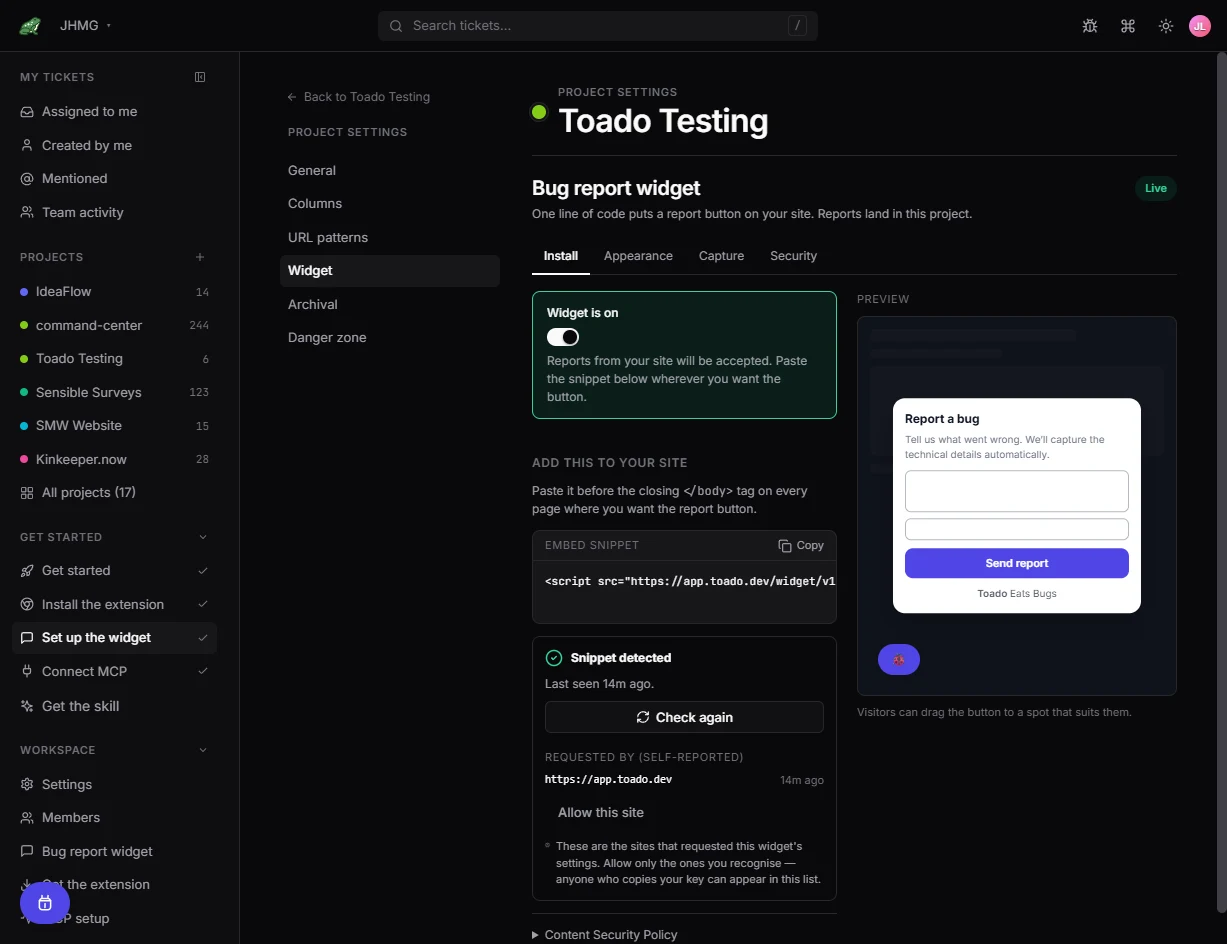
Visitors select the exact element and attach their report to it. Pointing requires a strict allowed-sites list.
On paid plans, visitors can record the page with or without voice, mark issues with pins, review the recording, and send it.
Where transcription and workspace AI are enabled, recorded narration becomes a written ticket description. Typed notes stay word for word.
A DOM-rendered view with the Toado launcher and dialog removed.
Page URL, viewport, browser details, and the reporter's description.
Messages and failures that help explain what the reporter saw.
Request timing and resource data collected passively while the reporter uses the page.
Optional email collection and project-specific questions when follow-up matters.
Every report enters the selected project ready for triage.
External reports land in a dedicated intake column, separate from your team’s own tickets, until someone reviews them.
Standard capture does not wrap fetch or XMLHttpRequest. It collects available timing and resource evidence without intercepting request bodies.
Pick minimal, standard, or deep per project. Deep adds request and response bodies by wrapping those network primitives, so it stays an explicit opt-in for sites where you control the WAF.
Capture note: Widget screenshots are rendered from the page itself. Video, WebGL, cross-origin iframes, and some canvas content may not reproduce exactly. Use the Chrome extension when browser-level fidelity or capture on an uninstrumented site is required.
Choose a floating button, edge tab, inline launcher, or no visible launcher. Upload a custom launcher image, use Match my site styling, or adjust the theme yourself. Configure the label, icon, colors, placement, dialog, and mobile behavior with a live preview.
No Toado login or browser extension. Optional email and custom questions collect the follow-up details your team needs.
Add the optional “On the team? Get the extension” link for teammates. Use the extension for authenticated capture, page pins, and team walkthroughs.
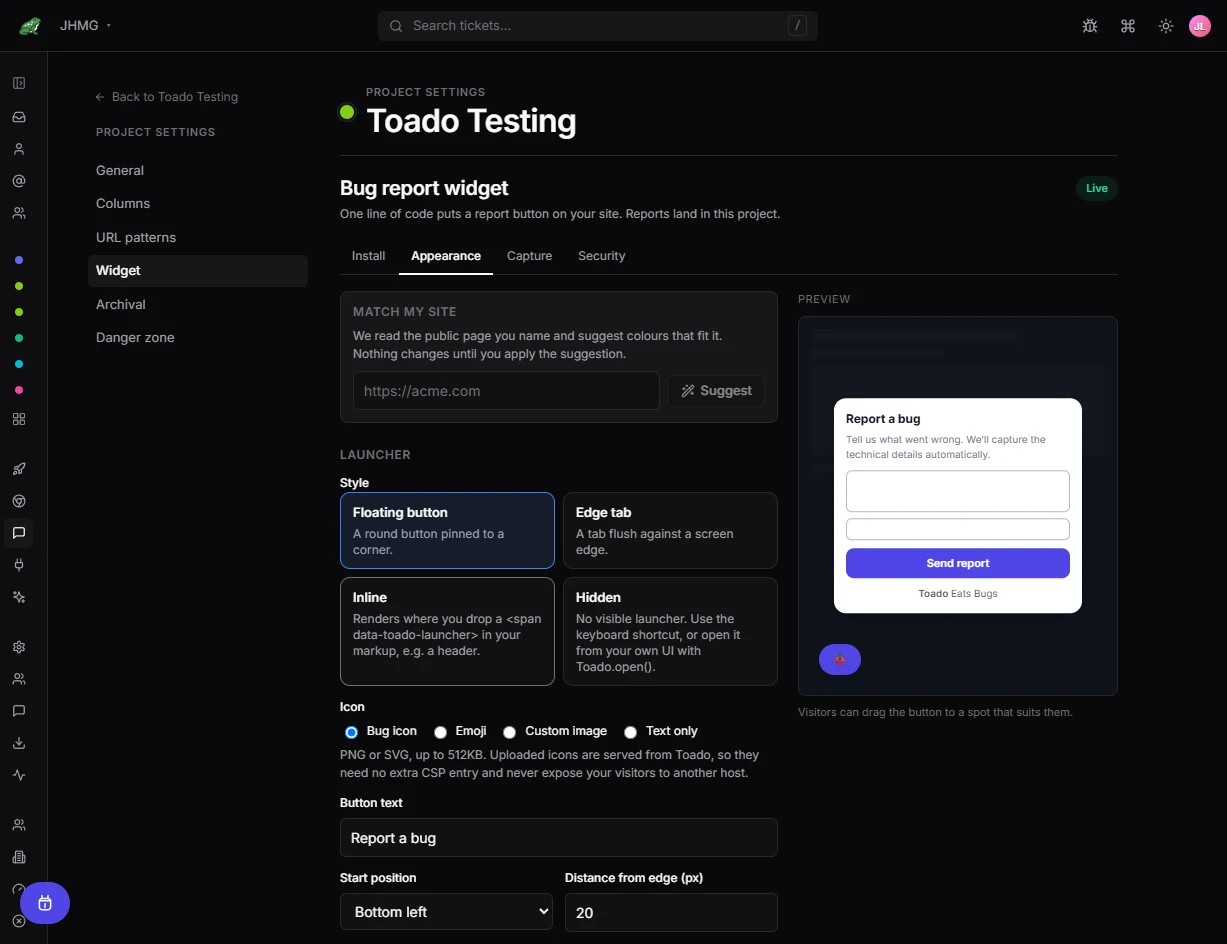
Each project has its own key and site rules. Toado detects installations and helps owners approve origins before accepting reports.
Best for customers and teams on a product you control. No reporter account, one site snippet, in-page capture.
Best for authenticated team members on any site. Installed per user with browser-level capture.
Most teams use both: frictionless customer reporting inside their products and authenticated capture everywhere else.
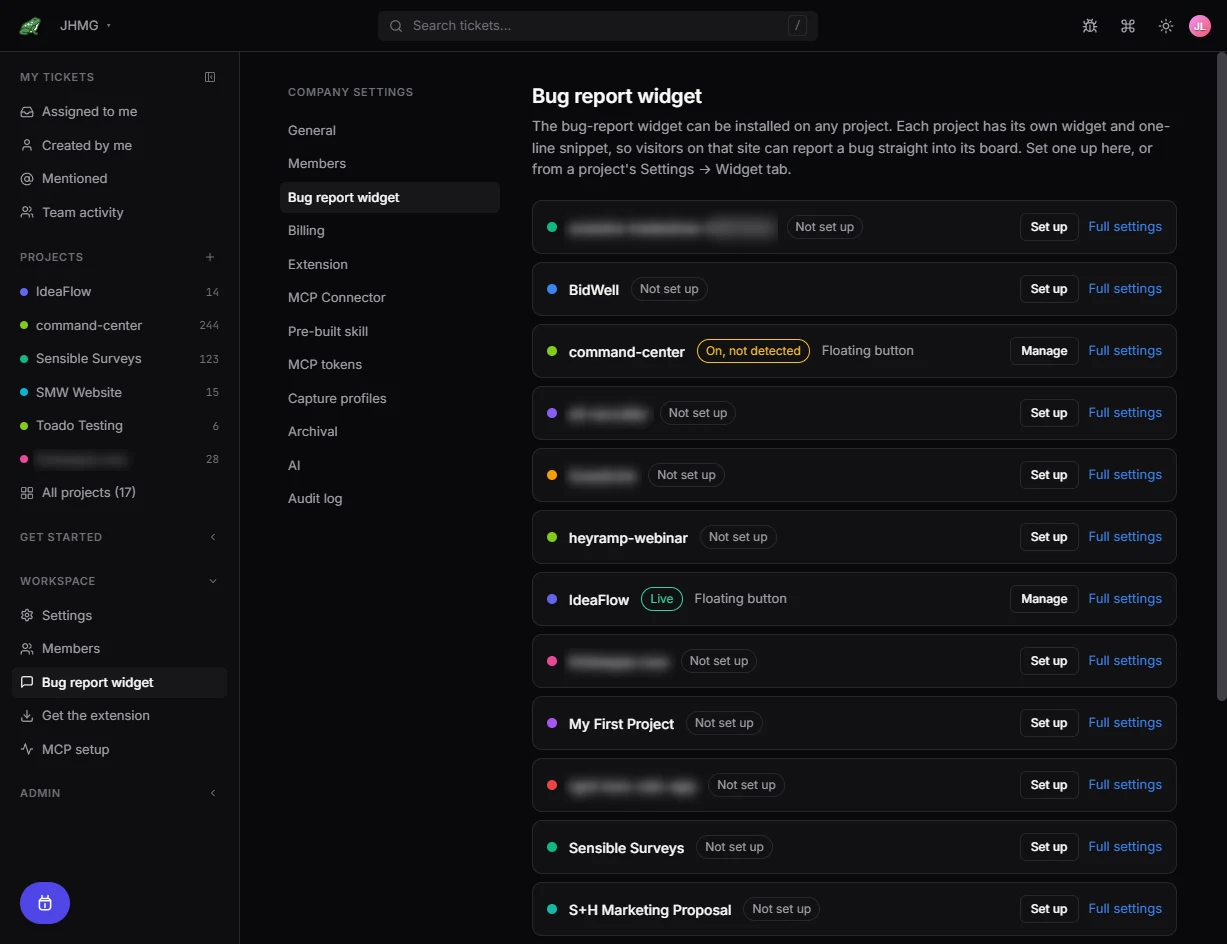
On the Toado side, each submission arrives as a normal ticket in the project’s intake column, with its screenshot and debugging context ready for review. Your team’s own captures never route to intake, so the lane stays clean.
Visitors choose video with voice or just video. During the recording, they point at each problem. After reviewing and sending, each pin becomes a report with its clip.
Console messages, network requests, errors, and performance timings travel with the page evidence. Narration can become a written description where transcription and workspace AI are enabled. The visitor’s typed note stays as written.
Compare reports and visitor minutes · Send triaged reports to Jira
Toado's MCP connector lets Claude Code, Codex, Cursor, Cline, and compatible agents read the report, inspect evidence, comment, and move the ticket through review.
Customer reports → Toado captures → Agent investigates → Team reviews → Fix ships
See AI coding with ToadoStart free, create a project, and install the widget with its setup wizard. Add visitor recording and more reporting capacity on a paid plan.